- Task and Materials. The Tasks and Labor and the Materials and Equipment tabs have been merged making the estimating process clearer and faster!
- Materials database. It is now possible to add a new material directly from the materials treelist. A new dialog allows you to enter or edit a material's fields.The treelist now has the capability of showing columns that contain the material fields. These fields can also be edited through the columns. The materials database can now be sorted by any of the fields by clicking the field's column header.
- Job Pages. Job Pages now have a notes field and a tag field this is editable via a new button on the Jobs pane or by selecting the option via the Job Page's context menu.
- View. Its now possible to choose which columns are visible in all the grids via the view menu.
- Address Book. Add and edit company and contact details directly in the Address Book.
- Schedule. There is now the option of re-scheduling a whole project by simply changing the Project's start date in the Project module.
- Reports. The Report designer has been improved and the user interface updated. More ready made Report templates are also included.
- Tools. There are new tools for adjusting all Mark-Ups for task Personnel, Materials and Overheads in a Project.
- Rates. It is now possible to add Rate Price as well as Cost to Skills in the Rates Grid. The labor price calculations can now be based on either Cost plus Mark-Up (existing) or the new Rates Prices. It is also possible to duplicate a Skill in the Skill Grid to ease data entry.
- Materials. A database item can now have a sell Price entered directly. An Item can also have a ‘Typesuch as ‘Material ‘Equipment ‘Transportetc. There is also a new ‘Part Numberfield.
- Invoices. It is now possible to enter incoming payments in the Invoices Grid for recording items such as customer payments. Outgoing payments can now be assigned to a miscellaneous item, a single Task, a Job Page or the entire Project.
- Totals Summary. It is now possible to enter default Tax values in the Preferences dialog. These values will automatically appear in the Tax fields in the Totals Summary pane when a new Project is started.
- Contractors. Fixed costs and prices from sub-contractors can now be entered in the Contractors pane. The contractors skills can then be added as usual to tasks for scheduling without the skill’s rates being included in the labor cost and price calculations. These fixed costs and prices are added to the totals in the Totals Summary pane.
- Tutorials. There are now ‘Show Mevideo links to accompany the ‘Getting Started tutorial. (online connection required).
18 May 2010
Version 2010 is now available!
2 June 2010
Online Demo
- Get a free online Demo. As part of our new 2010 version release we are offering a free online demonstration of Ezy Estimator 2010. Simply schedule a meeting here to get answers to all your questions on ‘how to learn the new features plus tips and tricks. Just need to ask a question or two? That’s easy too just email me, Eddie.
New Report Templates!
- Get your free templates. Three more templates are available for Reports. There are two envelope templates which allow you to print your Project’s Customer and Contractors addresses plus another version of the ‘StatementTemplate. Get them here.
New Theme coming soon
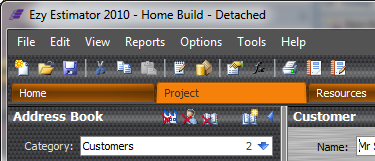
- Carbon Theme. There is a new theme coming with the next update. Themes are changed via the View-> Change Theme menu, here’s a small taster.....
20 June 2011
- Massive Update incoming. A Huge update is just around the corner, stay tuned for the latest news..
Some fashion accessories like luxury watches has their own unique place rolex replica uk in modern fashion. Every fashion lover is obsessed with the charm and style of designer rolex replica watches. Rolex has a distinct identity in premium luxury watches segment. All rolex replica watches are symbol of extreme craftsmanship with quality rolex replica sale beyond comparison. They reflect wealth and prosperity. Be it their replica watches sale Daytona series, Datejust (men and lady segments), or masterpiece segments, all are among the best selling omega replica watches around the world. Rolex lovers are known as elite people with unique fashion sense and style.