



Advanced Data Entry | Automated Task Scheduling | Time And Cost Tracking | Accurate Cost Calculation | Formulas | Materials & Assemblies
Professional Estimating and Project Management Software















Project Management
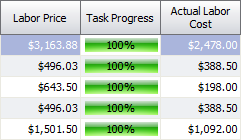
Managing a project could not be easier with Ezy Estimator’s project management capabilities. Progress and financial status can be checked in the scheduler, task columns and the Profit Summary module. Ezy Estimator calculates the timesheets and invoices added to a Project to give you an instant view of the real costs compared to the estimated ones. Ezy Estimator is so advanced that it can also calculate overtime costs giving you the most accurate cost tracking available. See Construction Scheduling for information on cost tracking.
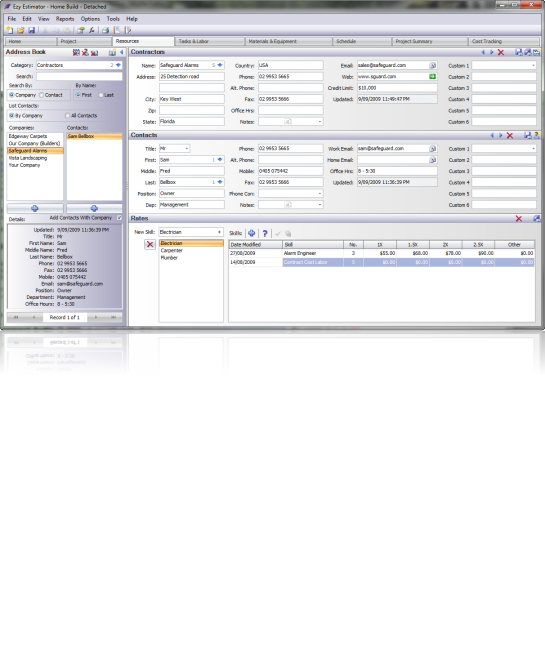
Manage the Projects information in the ‘Project�?and ‘Resources�?tabs. A built in Address Book gives instant access to saved customers and contractors to add to new Projects. Rates for contractors and your own company can also be stored. Here the Resources tab displays a contractor that has been saved to the Address Book. Notice the Address Book’s details section, contact information is quickly available for every Address Book entry.
Click image for larger view.
Ezy Estimator has a powerful Report Designer to give you total control when documentation is required. Use one of the many templates provided, create one from scratch or alter an existing one to print, email, save or export any of the data contained in a Project. You can also create Reports that will include other information from other document files, including formatting. Terms and Conditions, Legal statements etc. can easily be inserted into reports, professional looking documents every time! See Advanced Reporting
See the columns for the details and instantly compare the actual costs with the estimated ones.
| Residential Construction Estimating Software |
| Electrical/Mechanical Construction Estimating Software |
| Project Management Software |
| Construction Scheduling Software |
| Construction Remodeling Software |