



Advanced Data Entry | Automated Task Scheduling | Time And Cost Tracking | Accurate Cost Calculation | Formulas | Materials & Assemblies
Professional Estimating and Project Management Software















Residential Construction
A Residential Construction sample Project is shipped with Ezy Estimator to give the user an instant insight of what can be achieved when Ezy Estimator is used for residential construction estimating.
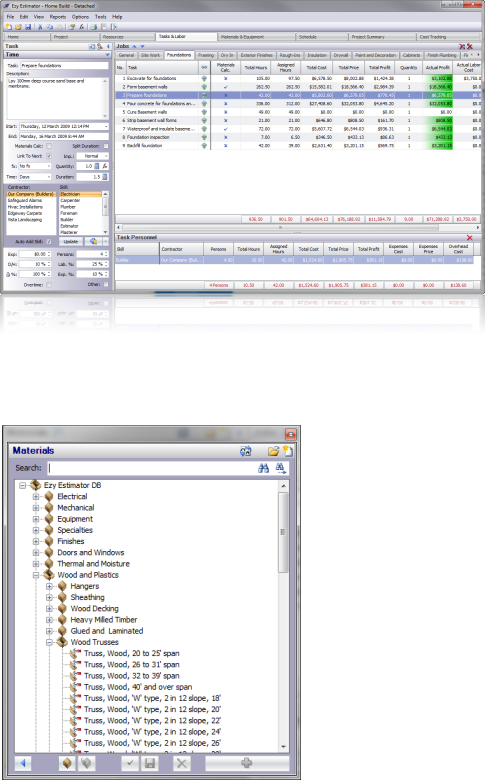
The Tasks and Labor tab shows all the jobs, tasks and skills in a Project. Here the ‘Foundationstab is selected in the Jobs module and all the tasks that are required to complete the job are listed. The Task Personnel shows 4 persons of the ‘Builder skill type have been assigned to the highlighted task ‘Prepare foundations The rates for this skill are used for calculating the labor costs for the task. Any number of different skill types can be assigned to a task. Materials can be added to tasks in the ‘Materials and Equipmenttab.
The sample materials database contains many residential construction items to include in your project.
Click image for larger view.
| Residential Construction Estimating Software |
| Electrical/Mechanical Construction Estimating Software |
| Project Management Software |
| Construction Scheduling Software |
| Construction Remodeling Software |